You finished the song, the cover art is ready and you feel like hitting send right now. Before that, take a few minutes to check your release. A problem in the submission can mean corrections and delay your music reaching the platforms.
In this guide, Eventroo shows what to check, how to check it and why it matters. There are 8 items, split into 3 steps: the sound and the art, the data and the timeline.
Step 1: the sound and the art
Step 1: final audio, cover art and clearances.
Item 1: final audio
What to do: send the final version, the same one your audience will hear.
How to check: listen to the whole file, from start to finish. Make sure it is the approved version, with no glitches, cuts or unwanted silences. If a cut or a silence is part of the song, that's fine: it just can't be a mistake.
Why it matters: distribution does not fix problems in the file. If something slips through, you may have to send it again.
Item 2: clear, cleared cover art
What to do: use a high quality image that is easy to read.
How to check: look at the cover small, the way it shows up on a phone. Can you still read the name? Also make sure you have permission for everything in it: photos, people, brands, logos and characters.
Why it matters: the platforms review cover art, and images with elements used without permission can be rejected.
Item 3: everything cleared
What to do: did you use a beat, a sample, a voice or a feature from another artist? Check the licenses and permissions before you submit.
How to check: read what the beat license allows. Buying a beat does not mean every use is allowed, and crediting the creator does not replace permission. Keep your agreements on file.
Why it matters: Eventroo may ask for documents before or after the release, and content with rights risks can be rejected or taken down.
Step 2: the data
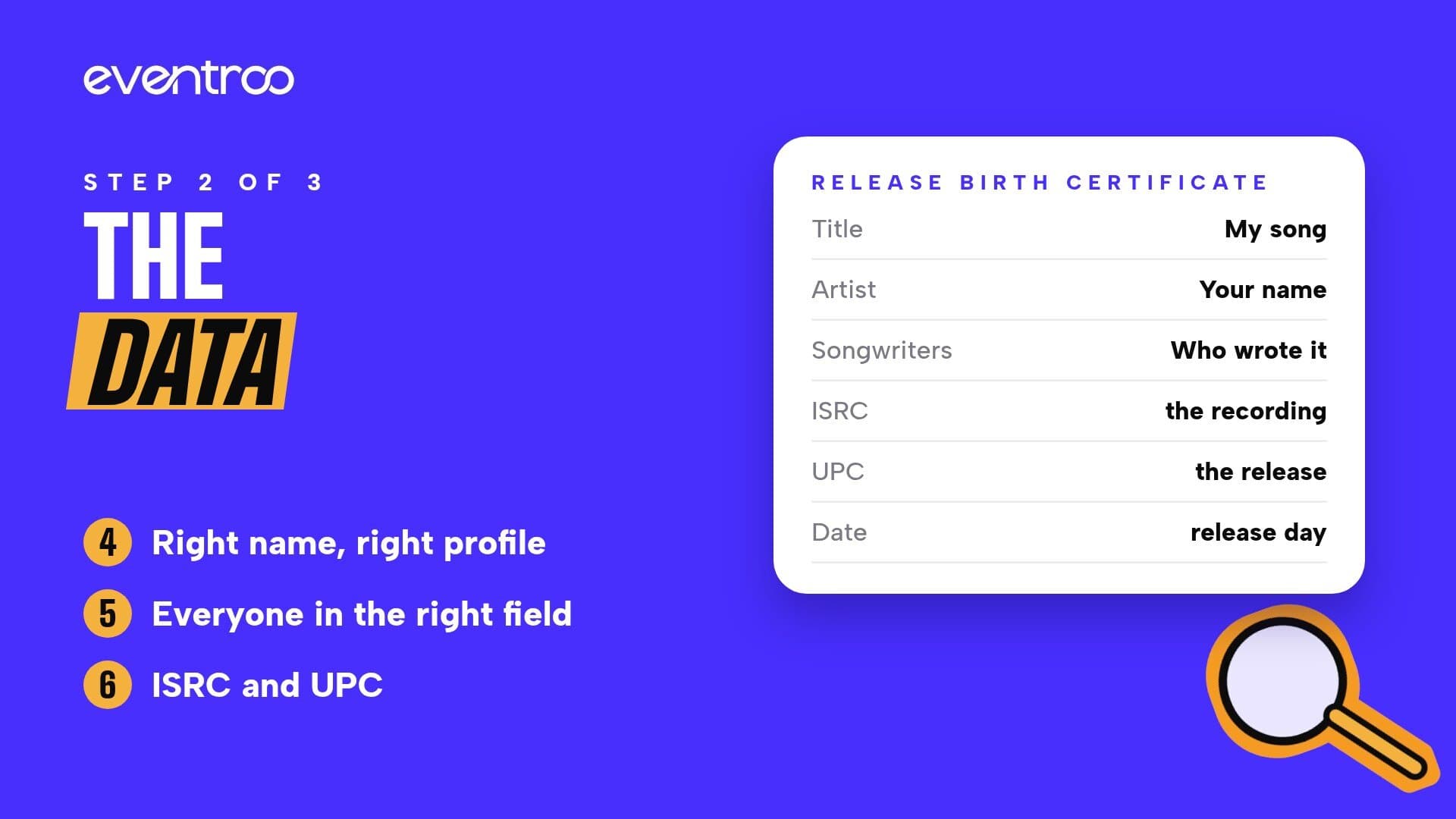
Metadata is the information that identifies your release: the song title, who takes part and the credits of who created it. Think of it as your release's birth certificate. It is only a comparison: filling in this data does not register copyright.
Step 2: metadata, name and profile, credits, ISRC and UPC.
Field
What it is
Title
The name of the song.
Version
Live, remix, acoustic or another label, when there is one.
Artists
Who performs the track, including features.
Songwriters
Who wrote the lyrics and the music.
Producers
Who took care of the track's production.
Label
The label in charge, when there is one.
Language and genre
The language of the lyrics and the style of the song.
Date
The planned release day.
Item 4: right name, right profile
What to do: always spell your artist name the same way.
How to check: before you submit, check the links to your profiles on the platforms and make sure each profile is really yours.
Why it matters: when there are artists with the same name, the name alone is not enough. The profile link helps keep your song from landing on someone else's profile. If that already happened, write to [email protected] with the link, the ISRC and the UPC.
Item 5: everyone in the right field
What to do: put each person in the field that matches what they did on the song.
How to check: if the same person did more than one thing, they appear in each matching field, with the name always spelled the same. Only list real contributions.
Why it matters: credits show who made the song and help each person be identified correctly.
Item 6: ISRC and UPC
Code
What it identifies
Example
ISRC
The recording
Each track on an EP has its own ISRC.
UPC
The release
The single, EP or album has one UPC.
What to do: does the recording already have an ISRC? Use the same one. If it is a new recording, it needs a new ISRC of its own.
How to check: the same recording keeps its ISRC when it goes into another release, such as a compilation. Never use one recording's ISRC on another song or on a new recording.
Why it matters: keeping the same ISRC helps the platforms recognize the recording, for example when you switch distributors. These codes identify the recording and the release: they do not prove authorship or register the composition.
Step 3: the timeline
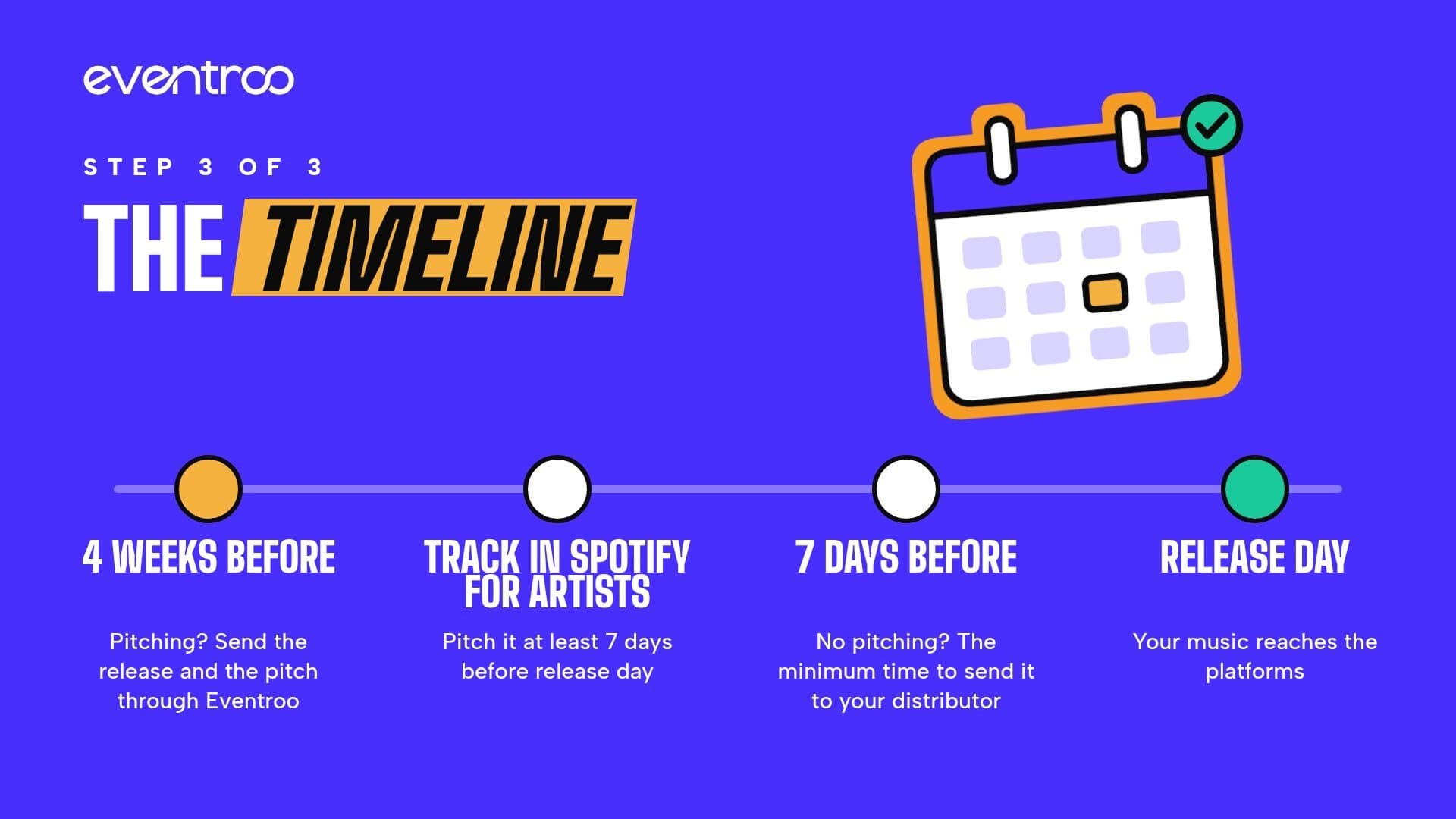
Step 3: with pitching, start about 4 weeks ahead; without pitching, send at least 7 days ahead.
Item 7: don't leave it to the last minute
What to do: Eventroo recommends submitting at least 7 days before the release date. Pitching, or is it a priority release? Send it earlier.
How to check: count the days to the chosen date and leave time for review, possible corrections and processing on the platforms.
Why it matters: there is no single deadline. Each platform processes on its own time, and the final publication depends on them.
Item 8: pitching planned
Pitching means presenting your music to the people who build editorial playlists. There are two ways, and you can use both:
On Spotify for Artists: first, send the release to your distributor. Once the track shows up among your upcoming releases on Spotify for Artists, pitch one unreleased track at least 7 days before release day. That way it can also reach the Release Radar of the people who follow you.
Through Eventroo: Eventroo presents your release to the platforms for review. We recommend sending the pitch at least 4 weeks before the release. Submitting is free, reviewed in order of arrival, and there are optional plans with faster review.
Plan ahead so there is time to deliver the track and prepare the pitch. Important: pitching does not guarantee a spot on editorial playlists.
The full checklist
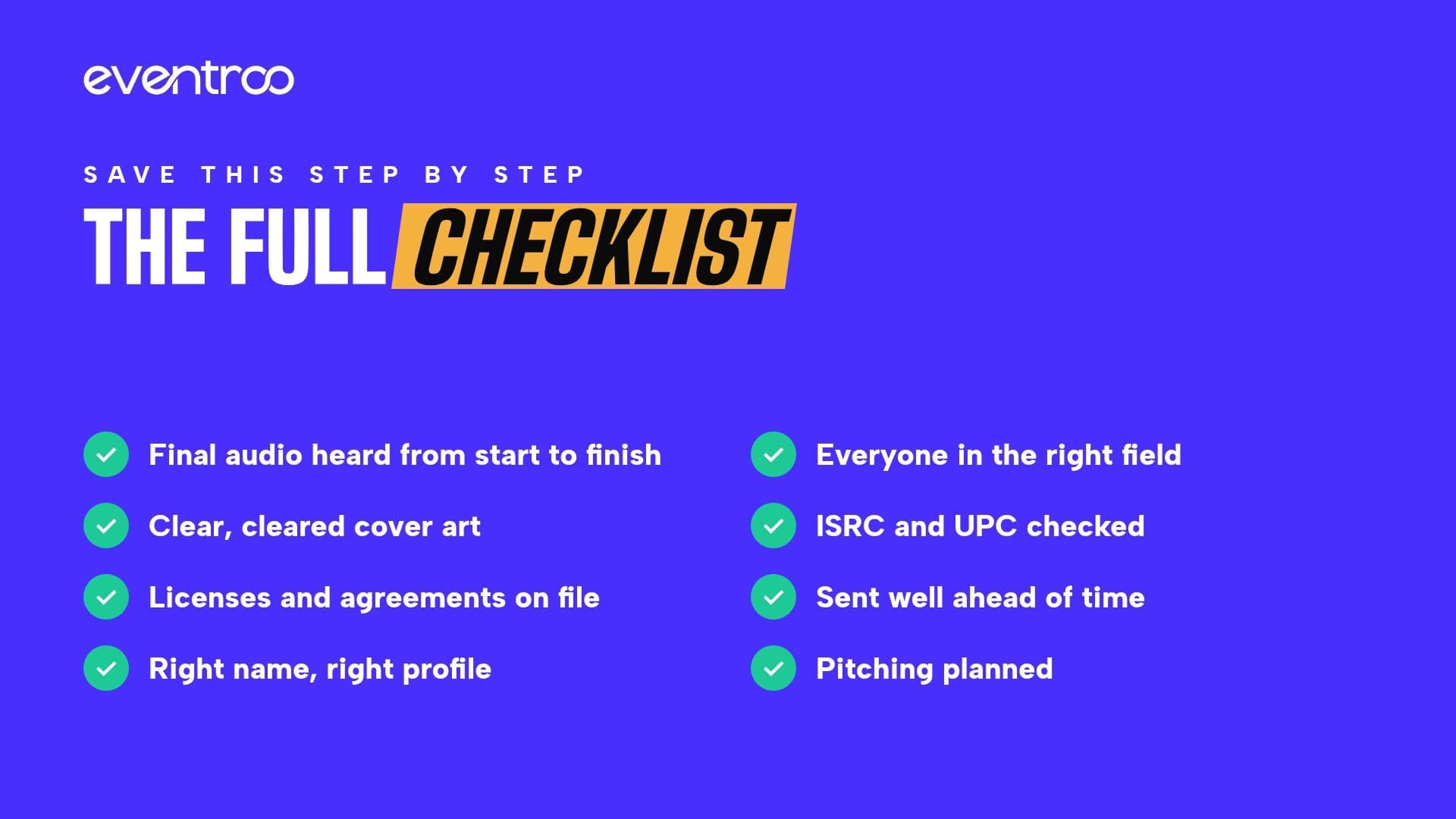
The 8 items to check before you submit.
Final audio heard from start to finish.
Clear, cleared cover art.
Licenses and agreements on file.
Right name, right profile.
Everyone in the right field.
ISRC and UPC checked.
Sent well ahead of time.
Pitching planned.
Ready to release?
With these 8 items checked, your release reaches the platforms with less chance of coming back for corrections. Save this step by step and share it with anyone getting a release ready.